

Sunday, December 14, 2025
Home Blog Page 10

How to Choose the Right Game Controller for Your PC

Selecting a suitable game controller for your PC can improve your gaming by giving you more comfort and accuracy and ways to customize it just how you like. Many controllers, from regular to fancy ones, exist for specific games. It can take time to pick the best one for you. Stuff like how comfy it feels in your hand if it works with your computer, where the buttons are, how it attaches, and cool features like vibration or special buttons are all essential things to consider. If you know what kind of games you like and what you want in a controller, it can help you pick the perfect one.

Here are some points we discussed to help you choose the right game controller for your PC.

Game Controller Explained

A handheld device used for interacting with video games is called a gaming controller, sometimes referred to as a gamepad. It usually has buttons for actions, a directional pad (D-pad) or a thumbstick for movement, and occasionally triggers particular actions in racing or shooting games. Vibration feedback on controllers can also help you become more fully immersed in the game by mimicking collisions, explosions, and bumps. They can be utilized on consoles, PCs, and even mobile devices. They are available in wired and wireless forms.

Choosing the Right Game Controller for Your PC

Compatibility

Make sure the controller you pick works perfectly with your PC. Many controllers, such as Xbox and PlayStation, are suitable for Windows PCs. But it’s wise to check first before buying, just in case. Some controllers might need extra software or drivers to work right. Also, consider whether the controller works with the games you want. If you play specific or older games, it’s even more critical. Look online for advice or reviews to be sure. And make sure your PC has the correct ports or can connect wirelessly to the controller. Checking compatibility helps make gaming smooth with no tech problems.

Think About Your Gaming Style

When choosing a game controller for your PC, think about the games you like. A controller with a steering wheel and pedals might be great if you’re into racing. However, a regular controller with buttons and joysticks would be better if you prefer action games. Some controllers are explicitly made for specific game types, so keep that in mind. Also, think about how often and how long you play. The controller must be comfy, especially if you play for a while. Pick one that matches your style and feels nice to use so that you can enjoy your gaming time the most.

Wired vs. Wireless

Deciding between wired and wireless controllers is a big deal. Wired ones connect to your PC with a cable, so they don’t need batteries. They’re reliable and usually react faster when you press buttons. Wireless controllers let you advance around more freely because they’re not attached to your PC. But they need batteries or charging, so you have to remember that. Sometimes, they respond slower than wired ones. Consider how you play games and what you like best to choose the right one.

Button Layout

The button layout of a controller is all about where the buttons are and how they are organized. It’s important because it affects how easy or tricky it is to utilize the controller. Most controllers have similar setups, with buttons for jumping, shooting, and moving. However, some controllers might have extra buttons or be arranged differently. Before deciding on a controller, consider which layout suits you best. Do you like buttons close together or far apart? Do you need any extra buttons for your favorite games? Picking the proper button layout helps you find a controller that feels comfy and simple to use.

Analog vs. Digital

We discuss how the buttons work when we compare analog and digital controllers. Digital buttons are like simple switches: they’re either pressed or not. Analog buttons are different; they can feel how hard you push them, which lets you control things more precisely. For instance, with digital buttons, your character might always run at the same speed, but you can control the speed by how much you click with analog buttons. Which one you like better depends on what games you play and if you want more precise control.

Special Features

Special features in controllers are cool extras that make them different from others. These include buttons you can change, fancy triggers, or even extra buttons on the back. Some controllers let you decide what each button does so you can play games your way. Fancy triggers might be able to shoot faster or better in games because you can adjust how sensitive they are. And extra buttons on the back mean you can do more things without moving your thumbs from the main buttons. If you love gaming or want more control, these special features can help you play better.

Brand Reputation

Brand reputation is all about people’s thoughts about a company and its products. Regarding controllers, some brands are famous for making perfect ones that last a long time and work great. Brands like Xbox, PlayStation, Logitech, and Razer are well-liked in gaming. People trust them to make friendly controllers that don’t break easily. They also believe these brands will help them out if something goes wrong. So, when choosing a controller, it’s wise to consider the brand’s reputation. It gives you a new idea of how good the controller will be and if you can count on it.

Budget

When buying a game controller for your PC, it’s crucial to know how much money you would like to spend. Decide on a maximum amount before you start looking. Controllers can cost a lot or a little, so knowing your budget helps you choose. Remember, pricier controllers might have more cool stuff or be made better, but there are cheaper options, too. Consider what things you want in a controller and find one that fits your budget and has those things. And remember other costs like batteries or extra extras.

Read Reviews

Reading reviews means checking what other people say before buying something. Reviews can tell you what gamers think about controllers. You can learn if they liked the controller if it worked well, and if they had any problems. Reviews also mention any cool features or things to be careful of. Before you choose a controller, it’s wise to read reviews from other gamers online. It helps you think out if the controller is suitable for you and if it’s worth buying.

Making a Final Decision

Picking the suitable game controller for your PC means reasonable for many things, like if it works with your computer, the type of games you like, if you want it wired or wireless, where the buttons are, and if you want analog or digital buttons. Also, check out any special features, the brand’s reputation, your budget, and what others say about the controller. Considering all these things, you can find a controller that fits your gaming style and budget and feels comfy. Take your time to look around, try out controllers if you can, and read what others say to find the perfect one for your PC gaming.
How to Secure Your Online Accounts with Two-Factor Authentication

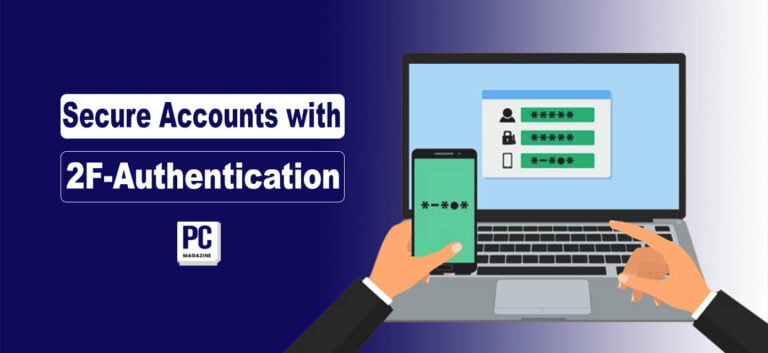
Keeping your online accounts safe is essential because of the many cyber threats out there. Two-factor Authentication is like attaching a smarter lock to your accounts, not just a password. It asks you to protect yourself by using two different things, like a password and your phone. This makes it much stronger for bad folks to move into your accounts, even if they know your password. With 2FA, getting into your account needs more than just a password. That helps stop sneaky tricks like pretending to be you or trying many passwords. In this blog post, you will learn how to use Two-Factor Authentication to keep your online accounts safer.

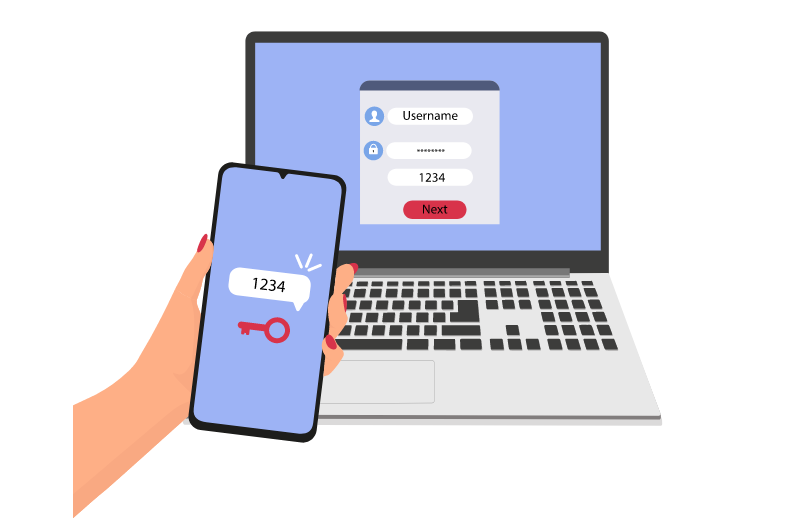
Two-Factor Authentication Defined

Two-Factor Authentication is like having double security to make sure it is you logging in an account. Instead of just typing your password, it sends a special code to your phone or an app. This code is like an extra key to open the door to your account. It makes sure only you can get in. MFA adds even more layers of safety by asking for two or more ways to prove it’s you trying to access your account. It might ask for your password, fingerprint scan, or a code sent to your email. These extra steps make it even stronger for anyone else to get into your account, keeping your stuff safer.

Two-Factor Authentication Defined

Types of Two-Factor Authentication Methods

  • Massage Verification is when a special code is sent to your phone by text. It’s an easy method to add security, but it’s unsafe because someone could trick the phone company into giving them your number.
  • Authenticator Apps, like Google Authenticator, give you codes without needing the internet. They’re safer than SMS because they’re harder to trick, but you must set them up on your phone.
  • Hardware Tokens, such as YubiKey, are physical devices that give you codes. They’re secure because they’re not online, but they can be expensive and easy to lose.
  • Biometric Authentication uses things like your fingerprint to check if it’s you. It’s simple and safe, but you need the right device, and someone could risk stealing your fingerprint.
  • Backup Codes are special codes you keep just in case your main source of logging in does not work.

Enable 2FA on Your Accounts

  • Go to your account settings to add extra security to your online accounts. Look for options like “security” or “privacy.”
  • Find where it says “two-factor authentication” or “2FA.” Choose how you want to verify your identity, like getting a code by text message or using an app.
  • Follow the steps to set it up.

Make sure to save any backup codes in a safe place. Test it by logging out and then back in. Keep your devices safe, update your contact info, and consider using special app passwords. Check your security settings regularly and learn about staying safe online. This extra step makes it harder for others to access your accounts.

Verify Your Identity

To prove you are the right person for the account, you have to show that you’re the one who owns or manages it. This means doing things only you should know or can do. For example, you may need to enter a code sent to your phone or email, answer questions only you know, scan your fingerprint or face, or confirm details about your account. Verifying your identity ensures only the right user can enter the account. It adds another layer of security to stop others from getting in without permission or doing something shady.

Backup Codes

Backup codes are like extra keys for your online accounts. You get these special codes when you go after two-factor Authentication (2FA). If you can’t use your usual 2FA way, like your phone or an app, you can use backup codes to log in instead. Keep them in a secure folder or write them down where no one else can see them. Backup codes are helpful if you lose your phone or can’t use your usual 2FA way. So, keep them safe because they’re like a backup plan to protect your accounts.

Test It Out

Once you go after two-factor Authentication (2FA) for your accounts, checking if it works is important. Log out of your account and try logging back in. You must enter a code from your 2FA method, like a text message or an app. This check ensures that you can get into your account with 2FA. If you have any problems, check your settings and make sure you set up 2FA right. Testing 2FA helps you feel calm because you know your account is safe, and you can get in easily when needed.

Keep Your Devices Secure

Use strong passwords or fingerprint/facial recognition to keep your devices safe. Keep your software updated to stay safe from new threats. Be careful about downloading apps or clicking on links from strangers. Install antivirus software and turn on firewalls for extra safety. Avoid using public Wi-Fi because hackers can easily access your device. Protect your data by encrypting it and only utilize secure internet connections. If you lose your device, ensure you can find it or delete its data from afar. These steps will help keep your things safe and prevent others from entering your devices.

Update Contact Information

Check that the contact details for your accounts are current. This means your email and phone number. If you change your email or phone number, immediately update them in your account settings. Correct contact info is important to reset your password or get important messages about your account. It can also help you get back into your account if you ever need help. So, ensure your contact info is always right to keep your accounts safe and make sure you get everything important.

Use App-Specific Passwords

Some websites provide special passwords just for certain apps or gadgets. These passwords are separate from your main one and let you log into your account safely using those apps or gadgets. They’re useful for apps that don’t directly work with two-factor Authentication (2FA). Once you make one of these passwords, you only need to type it once for each app or gadget. If you ever stop using the app or gadget, you can cancel its access without affecting your main password. These special passwords help keep your account safer by only allowing access from certain apps or gadgets.

Regularly Review Your Security Settings

It’s a good idea to look at your security settings regularly. This means checking the choices that keep your account safe. Make sure your settings are still what you want and that nobody changes them without you knowing. You should change your password or add extra safety things. By checking your security settings often, you can stop hackers and other bad stuff from getting into your account. It’s like ensuring your house’s locks are working okay to keep it safe. So, keep watching your security settings to stay safe online.

Stay Informed

Make sure to keep learning about what’s happening. This means knowing the newest news and info. Learn about new things that can help you stay safe online. Stay informed about ways hackers might try to get into your accounts. Follow trusted places for tips and advice on staying safe online. By staying informed, you can save yourself from online troubles and know what to do if something bad happens. It’s like checking the weather forecast so you know what to look for. So, keep learning and staying informed to stay safe online.

Our Concluding Remarks

Adding Two-Factor Authentication (2FA) makes your online accounts much safer by adding extra security. You can use methods like getting a code by text, using special apps, or using your fingerprint. Also, keeping backup codes and checking security settings helps a lot. It’s important to keep your devices safe, update your contact info, and use special passwords for different apps. Doing these things makes it harder for bad guys to get into your accounts, and you can feel more confident using the internet.

What is Cloudflare? A Simple Explanation for Beginners

0

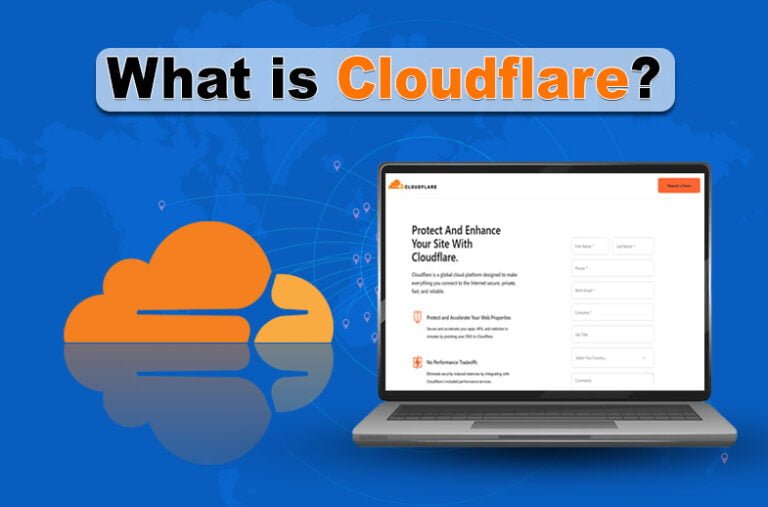
Are you a website owner and concerned about its performance and security? Are you seeking solutions to stand out in the crowd over the internet? What if I tell you I have a solution for you? Yes, I am talking about the proficient Cloudflare, a global network that enhances websites’ security and boosts their performance. Don’t you have heard about it before? Do you have any questions, like what is Cloudflare? If so, then don’t worry! I am here to tell you everything about Cloudflare. I have prepared a comprehensive guide in which I will discuss what Cloudflare is in simple words.

What is Cloudflare?

Cloudflare is a global network that provides services to enhance website performance and boost security. It uses several networks to speed up everything that is connected to the internet, such as DNS, CDN, and edge computing. Further, 26 million websites use its services to secure their IP addresses and boost their performance, and it has centers in 320 cities around the globe.

Cloudflare Pricing

  • Free
  • Pro: $20/month
  • Business: $200/month
  • Enterprise: Custom

How Cloudflare Works?

Do you know how a network works? Yes, components of a network perform certain tasks to achieve the maximum results. This is a fact for Cloudflare because it is an online network of servers, and its potential lies in them. Half of the world is in its range because it covers around 200 and plus locations. Its servers work as data caches and as a stronger firewall to enhance the website’s security.

You can start with Cloudflare only by signing up. After signing up, you need to add your website to its control panel. From here, it is now a cup of coffee because it will catch your site’s data in multiple locations on its servers automatically.

What has Cloudflare to Offer?

As a global server network, Cloudflare always has something to offer whether you are a small business or an enterprise. Here is a list of what it has to offer.

Content Delivery Network (CDN)

Do you know almost every service of Cloudflare is integrated with its content delivery network (CDN)? The DNS includes caching data, monitoring the site, HTTP/3, HTTP/2, and more. Catching data and all other things are why the Cloudflare platform is famous.

Domain Name Registration

A domain is the name of a website, which is the most essential factor that every hosting provider offers you. The beta mode of Cloudflare enhances the credibility of the site and controls how to manage it to enhance its performance.

Hosting for Streaming Media

Cloudflare simply uploads and delivers media files because of its suitability as a digital asset. Its global reach is the simple answer for those who are willing to deliver their media files to vast areas. Further, this approach makes it the best platform to perform such tasks in the competitive world.

DNS Resolution by 1.1.1.1

Cloudflare provides its users with the DNS Resolution 1.1.1.1, which enables them to speed up their browsing. Further, It also has the potential to bypass rudimentary ISP-level blocks to mitigate any type of hindrance.

Local Network Protection with Magic Transit

Cloudflare also provides businesses with a DDoS protection approach to make their website secure. However, it provides a global level of protection, but the Magic Transit reduces it to your requirement level. Moreover, Magic Transit also enables you to protect your local networks along with international networks.

Secure Network Access

As you know, Cloudflare works as a network server, like a virtual private network (VPN), to provide businesses with enhanced security. Businesses that are working online or remotely also require a VPN that enables them to protect their local assets effectively.

Network Logging and Analytics

When offerings are being decided, a byproduct will also be decided. Cloudflare has a byproduct named Analytics. Knowing how your data flows and how it is being used can only be possible by using the robust analytics that Cloudflare provides. By adopting analytics, you will be able to customize the content delivery of your content to make it flow preferably.

Serverless Code Deployment

Managing software in a vast area is not easy because of its complexities. Fortunately, Cloudflare provides those businesses with services like the deployment of serverless code. It enables them to save money because they will have the approach to invest in Cloudflare and not change their infrastructure.

The Closing Remarks

Cloudflare is a global server network that enables websites to enhance their performance and robust security. It provides users with different paid plans to do so, along with a free version of its working model. Further, once you have signed up for Cloudflare, your site’s data will be stored in the global network automatically. The help of multiple servers assists users in getting better outcomes in terms of enhanced security and improved performance. In the above section, I have compiled a comprehensive guide on Cloudflare, in which you will get the answer to the question: What is Cloudflare?

FAQs

Q1- Is Cloudflare free?

The answer to this question is yes. Cloudflare is completely free to use. It doesn’t require any money for its free plan, which means users don’t have any need to break the bank.

Q2- What is the main purpose of Cloudflare?

The main purpose of Cloudflare is to provide businesses with access to take control of their technologies and security environment. It is built on a secure, high-speed, and intelligent network.

Q3- Is Cloudflare a proxy?

The answer to this question is no. Cloudflare is not a proxy; instead, it works as a reverse proxy because of its DNS network server.

Q4- Does Cloudflare hide IP?

Yes. Cloudflare hides your IP address and won’t reveal it to any client or customer.

Q5- Does Cloudflare require a VPN?

No. Cloudflare doesn’t require a VPN to be operated and function as a whole. It accesses how the team works and makes us believe in the Zero Security Model (ZSM).

Q6- Is Cloudflare encrypted?

Technically, yes. Cloudflare provides website owners with TLS/SSL encryption to enable them to secure their data effectively.

Top 10 Ways to Make Money Online

0

At present, making money online is easier than ever. You can do it using different methods, from selling things online to doing freelance work or creating videos and posts. With more people working from home and many websites and apps to help, anyone with internet access can try it. But it can be challenging. You must think wise, work hard, and be ready to learn new things because the internet is constantly changing. In this article, we will talk about ten ways to make money online: somewhere you earn cash regularly without doing much and others where you need to put in more effort.

Ways to Make Money Online

Below we have listed some of the best ways to make money online in 2024 and Beyond.

1- Start a Blog

Consider starting a blog if you like writing and have cool things to share. A blog is like your own space online where you can share your thoughts and knowledge regularly. To create a blog, you can use blogging tools like WordPress or Squarespace, even if you are new to it. Once your site is ready, it is essential to keep writing interesting stuff and telling people about your blog so they can read it. If you want to make money from your blog, you’ll need many readers first. Then, you can try different ways like suggesting products, showing ads, or selling your stuff. Remember, it takes time and effort, so don’t give up.

2- Website Flipping

Website flipping has two primary methods: buying and selling old websites or creating and selling new websites from scratch.

Buying and Selling Existing Websites

Buying and selling existing websites means you buy websites that already exist and sell them later for more money. It’s like buying, fixing, and selling a house for a higher price. First, you find websites that have the potential to grow or are only worth a little. You look at how numerous clients visit the website, how much money it costs, and what it’s about. Then, you prove it by improving how it looks, what’s on it, and how easy it is to find on search engines. After making it better, you sell it again for more money. People who are good at this know what’s popular online and how to advertise well.

Read Also: What is a Domain Name? A Quick Explanation

Building and Selling New Websites

Making and selling new websites means you create them from the beginning and sell them later to make money. It’s like making and selling a new house once it’s done. First, you think of ideas for websites that people might like. Then, you make the websites, deciding how they look and what they do. After that, you put them up for sale. If someone purchases the site, you sell it to them for more than it costs you to make it. Folks who are good at making and selling sites know what people like online, can make websites look good, and are good at telling others about them.

3- Amazon Affiliate Program

Amazon Affiliate is a way to earn money by promoting Amazon things. You join the program, and they give you special links for things. You get a small part of their spending when someone presses your link and purchases something on Amazon. How much you earn depends on what they buy. Many bloggers and social media influencers use this to make money by sharing products they like. To succeed, talk about things your followers would be interested in and be honest about your opinions. If you put in effort and promote products wisely, Amazon Affiliate can help you make extra money.

4- Freelance Content Writing

Freelance content writing means writing articles, blog posts, and website content for different types of people, but not as a whole day job. Freelancers work from home and select what projects they want and when to work. They find clients from websites, job listings, meeting people, or directly talking to companies. Freelance writers must be good at writing, be creative, and change their writing style to suit different clients. They often must research topics well and use SEO tricks to ensure their writing is high on Google. How much they get paid can change and depends on how long the writing is, how hard it is, and how much experience they have.

5- Video Editing

Video editing means changing and arranging video shots to make something new. You cut parts, add transitions, create visual effects, and adjust the sound. Video editors use special computer programs to do this. They turn raw video into a finished product, like a movie, TV show, ad, or something for social media. They work closely with directors, producers, and others to make their ideas real. Video editing needs tech skills, creativity, and attention to detail. Editors must know how to tell a story, control the speed, and make things look good. They might also need to match sound, add music, and make the final video work well on different websites.

6- Google AdSense

It would be best to have good stuff on your website; many people visit it to earn money with Google AdSense. There are two types of stuff: one that brings in new visitors daily and one that keeps people returning. It’s best to have both. Websites like blogs, news sites, forums, and free tools are great for getting new and returning visitors. Companies can make different ads, like words, pictures, or videos. So, having different ad types on your site is suitable for attracting other people. But remember, your site should have more stuff than ads to keep users happy. You can use Google Analytics to try different ad positions and styles to see what works best. If your site has many materials, you can attach a search engine powered by Google AdSense to help customers find their needs. Then, you can make money from ads shown on your videos.

7- Vlogging

Vlogging is a great source to make money online. First, pick a topic you love and that others are interested in. Make fun and exciting videos regularly to get people to watch and follow you. You can earn money from your vlog in different resources, like ads on YouTube, working with brands, selling stuff, and getting commissions through affiliate marketing. Make sure your videos appear in searches and share them on social media to get more views. Please talk with your viewers by replying to comments and making them feel part of your community. Keep improving your videos based on what people like and what works best. With hard work, creativity, and planning, vlogging can be a successful online job.

8- Sell Your Art and Photography

If you are good at making art or taking photos, you can make money online by exchanging them. For instance, if you love snapping pictures of animals, you can sell them online. Or, if you are significant at taking photos of people, you could work as a photographer. Use social media to promote your work and get more people interested. Remember, art isn’t just paintings – it can be digital, too. You can create digital art for others if you’re good with computers. And with many people starting online businesses, your art or photos might be perfect logos for new companies. Don’t forget to ask your customers to leave reviews so more people can find you online. This way, you’ll get more business.

9- Become An Online Translator

Becoming an online translator is an excellent source of money if you know multiple languages. Speaking more than one language is very helpful worldwide. You can find translation jobs in healthcare, law, and business. First, make a good profile on websites where people look for freelancers or join translation companies. Show how well you know your languages and if you have any experience or certificates. Translate things like papers, talks, or videos correctly and quickly. Talking clearly and making sure everyone understands is very important. Talk to people who want you to translate for them, and keep getting better at translating. You might have to work on different things and finish them by certain times. If you work hard and act professionally, you can have an excellent job as an online translator.

10- Play Online Games

Playing games online at home can be fun and help you make money. There are different websites where you can join contests or play games that need skills to win cash prizes. You can try eSports tournaments, online poker, or games that test your abilities. Pick games you like and are good at, then practice to get better. Join contests with money prizes and try to win. Also, you can show your gameplay on platforms like Twitch or YouTube Gaming to get viewers and make money from donations, subscriptions, or promotions. But remember to play responsibly, set limits, and ensure gaming stays fun and profitable.

Final Thoughts

The Internet offers many ways to make money. You can write blogs, buy and sell sites, promote products, freelance work, create videos, sell art or photos, translate languages, or play games. No matter what you are good at or interested in, there’s something for your online platform. With hard work and creativity, anyone can search for their place and turn their hobbies into a source of income. So, don’t hesitate to try different things, face challenges with courage, and start your journey toward online success!

How To Repurpose Blog Content and Increase Traffic

0

Do you know your old best content works for you if you don’t want to create new content for your blog? Yes, it is right. This is a content repurposing technique that not only serves as fresh content but also drives more traffic to your website. 

As bloggers, we tried to write engaging content to provide useful information to our readers and increase organic traffic to the blog, which helped improve its ranking. However, if we have new material sometime, we can repurpose blog content with additional information for your readers. We have also mentioned some of the Best Blogging Tools for Beginners in another blog post that you may find useful.

What is Content Repurpose?

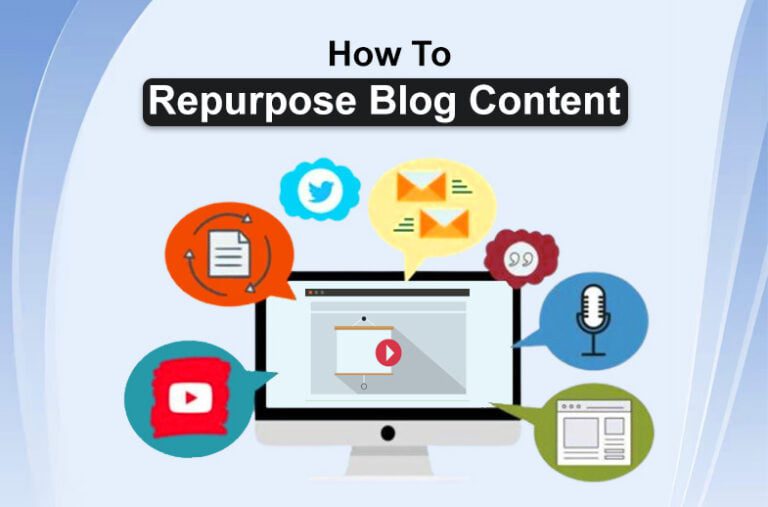
Content repurposing is a strategy to reuse your best piece of content as fresh content. For example, you can republish your old content just now or make it into two parts. Also, you can turn your blog posts into podcasts, infographics, and videos. 

However, this is the best way to use your content in useful ways and attract new audiences on different platforms with your existing content. 

How to Repurpose Blog Content

Here are some best ways to repurpose blog content and increase traffic:

Turn Your Blog Post Into Two Parts

If you have a blog post that contains additional information and covers two topics in content. You can divide it into two parts to engage new audiences on your blog. For example, you have written a review article and covered features and alternatives. You can separate the parts of alternatives into a new blog post. However, add some additional information to make it unique and useful. 

This is the best way to repurpose blog content and build trust in your readers. Also, it is an SEO strategy that most expert bloggers use to improve blog ranking. 

Turn Your Content into Infographics

Infographic content is equally important for the blog as written content. So, if you have an older post that you think you can turn into a catchy graphic, then do this to repurpose content. It helps to generate traffic to your blog and engage infographic users with your blog as readers. You can create an infographic using Adobe Premiere, Canva, or other tools. Also, you can use it on your Pinterest account to engage new users or share on social media pages. Reports suggest that images are the best source to attract users to businesses and websites. 

Make a Podcast with Blog Content

A well-researched and written blog post is a pillar page of the website that builds trust in the reader and makes the reader able to become a regular reader and visitor. Is it not a good idea to make a podcast with your blog content and increase new traffic from social media platforms like YouTube, Facebook, TikTok, and others? Yes, you can repurpose blog content to podcasts and engage users with useful information. You can generate audio from text and publish it on iTunes, Spotify, and other platforms. Also, add your podcast to your blog, which is a good way to provide Google search engines with an authentic way to recognize your website as trustworthy. 

Make a Podcast with Blog Content

Review and Update as Just Now

It is another SEO technique that helps engage new users with old content. Updating existing content also lets search engines know that you are working on site and care about users to provide updated information. It improves the website ranking and increases organic traffic. 

What content do you need to update? It is important to get analytics from the Google search console on which blog post is performing well. So, you can update it with new information and add more visuals that increase the chance of ranking first in the SERP. 

For example, if your post is ranking on 10+, no, but it lacks some additional information like FAQS, Pricing, Pros and cons or something new. You can update with the latest information and post it just now to rank on the first page and engage new users. 

Repost Blog Content On Medium and Linkedin

Hope you have experienced some topics ranking on first result pages on Google from Medium and LinkedIn when you search for something. These are reposted content from writers and bloggers. You can also do this to make the most of your existing content. However, it is important to know that you shouldn’t make the mistake of posting an entire blog. Post only the best and catchy lines and encourage the reader to read the complete article on your website. Also, follow Google’s guidelines; otherwise, your post can be penalized for plagiarism or duplicate content. But it is a great way to repurpose blog content and increase your blog traffic through these platforms. 

Turn Your Blog Post into an E-Book

Repurpose blog content into e-books and download forms. Find a case study article of more than 3000 words or gather some articles on the same topic to create an ebook. Your case study article is best turned into an ebook and used as a lead magnet for your blog. You can add your ebook to your website to offer as a gift to your reader. This will build trust, and your blog readers will become regular readers, increasing the bounce rate of the website if you have exclusive content like SEO strategies. Blogging tips or content writing techniques you can sell through the website in the form of E-books. 

Utilize Blog Posts in NewsLetter Email

News Email latter is also a strategy to keep engaging your user with your blog and send blog posts based on their preference. You can share your well-written blog post in a Newsletter, whether daily, weekly, or monthly. It is the best way to give periority to your readers and keep them engaged with your blog. 

Utilize Blog Posts in News Letter Email

Write Guest Post 

Guest posts are the best content marketing strategies to draw new visitors to your blog. But you know you use your existing content as guest posts. However, keep in mind that just a few website allows to guest post the old content. One more important thing to remember is to add your canonical link to your original content so that Google will not penalize you for duplicate content. In this way, your host blog, where you have published guest posts, gets a new article, and you can increase traffic. 

Answer Questions on Quora

Quora is a form posting and answer questioning platform where people seek guidance from experts. Most people have questions about products, gadgets, services, and reviews. So, you can find the questions your niche related and repurpose your content as answers to draw traffic to your blog. One such way is to post useful lines from your content and encourage the audience to read the solution on your blog. 

Create Online Courses

As most people want to learn something new from their comfort zone, you can use your exclusive content as an online course. Add your well-researched case study article into an ebook or create a readable soft document to sell to your customer. This will not only make money but encourage new users to read more on your blog. 

What We Conclude

Well, these are details about how to repurpose blog content. However, repurpose strategies are different for everyone. It is a technique that bloggers use to drive traffic, and everyone has a different point of view. You can turn your blog post into content in different formats, such as podcasts, videos, and infographics. Also, you can use existing content t o use as a guest post or create an E-book for readers. Update your old content and add the latest information, improve graphics, and republish just now which increases the chances of ranking on the first result page. 

Is it Safe and Secure to Use a Free VPN?

0

The world has undoubtedly become a global village as a result of the Internet. Within seconds, anyone may obtain any kind of information. There are now more security risks as a result of this as well. Data thieves and corruptors target individuals with inadequate security measures.

Many use VPN services in order to keep safe. The majority may be obtained at no cost. But using a free VPN—is that safe and secure? In this blog, we shall attempt to address this query. So, let’s get started.

What is a VPN?

A VPN is an online service that is used to keep a device safe from any external cyber threat. When you connect your device to it, you create a kind of tunnel. It connects your device to the server of the VPN.

All of your data goes through this encrypted tunnel. This ensures that no one breaches it to steal or corrupt your data.

What is a VPN?

Is Using a Free VPN Safe?

There are hundreds of premium VPN services available out there. However, the market is full of free VPNs as well. They do not charge anything from their users. This feature can be very tempting to a number of people.

However, it comes with a cost.

Most of the free VPN services aren’t safe to use. That is because their security protocols aren’t strong enough. Any hacker can breach their security wall and steal their users’ data. There are several examples of this. One of them includes a security breach incident that happened to a free VPN service Quickfox.

This service exposed the Personally Identifiable Information of millions of their users. The result was the impact of 500 million records. A 100GB of data was exposed as well.

Another example is the data breach of Colonial Pipeline Company network. It was attacked by a group of hackers called DarkSide. They hacked into the company network through a weak VPN. The company paid $5 million to the hackers to get back their network control.

What are the Risks Related to Using a Free VPN?

The risks related to using a free VPN are listed below:

Your Cybersecurity is at risk:

With using a free VPN, your Cybersecurity is at risk. That is because these services do not have the budget to invest in their security protocols. They also do not have enough revenue to hire a talented staff. Such factors result in weak security which can harm your data.

Slow Internet speed:

Using such services results in slow Internet speed. This might happen due to several reasons. A lack of servers means they might be located at a great distance from your device.  These VPNs do not have enough server capacity to handle their users’ data. They may also have lower bandwidth allocation. Such factors end up slowing your Internet speed to a great extent.

Exposure to malware:

Using a free VPN can expose your device to malware. Most of these services are the source of malware themselves. A study was conducted on some VPNs. The ones that were more likely to be infected with malware were available for completely free. This indicates that using a free VPN might be worse than not using one at all.

They include ads:

Ads are a primary way of earning revenue for these services. That’s why they may show a large number of ads to you. This can be annoying to many people. It also comes with a risk. If you click on a suspicious ad, you may expose yourself to a cyber threat.

They can hijack browsers:

Your browser can be hijacked by scammers if you use free VPN services. This usually happens through extensions. Many scammers do it by operating behind VPN extensions. They can add different codes in ads. These codes will lead you to websites you never searched for. This ruins your whole browsing experience.

Alternatives of Using a Free VPN?

The first and foremost alternative is to use a premium VPN. There’s another alternative if you’re tight on budget. You can use free versions of premium VPNs. Several of these services provide free versions for users.

They are relatively better than the ones that are entirely free. However, these versions come with limited features. So, if you’re okay with this, you can start using these versions.

Read also: What is a Domain Name? A Quick Explanation

Conclusion:

To conclude, using a free VPN is not safe at all. That is because they have very weak security protocols. The reason is their low revenue. Since they are free, they do not have money to spend on strengthening the security systems.

Such services can put your data in danger. You can even end up losing millions of dollars as has happened in the past. Besides this, they can hijack your Internet browsers as well. there are several other risks related to using such VPNs. We have described them in a detailed way in the information given above.

FAQs:

Are all free VPNs unsafe to use?

Yes. Most of these VPNs are unsafe to use. It’s very rare that they are secure enough to keep your data safe.

Are premium VPNs costly?

The prices of such services vary. Some are costly and some are not. However, it’s wise to invest in these VPNs to keep your device safe.

Are free VPNs unsafe to use on a mobile device as well?

Yes. These free software are unsafe to use on mobile phones as well.  

What if I don’t have important data to lose?

These VPNs may wreak havoc on your Internet browsing experience, even if you don’t have any sensitive data to lose. They do this through browser hijacking or excessive ad display.

Bobby Brown Net Worth in 2024

0

Globally, singers have been making substantial sums of money. That’s the reason why people are interested in singers’ earnings.

 Of these singers is Bobby Brown. He’s an American R&B singer. He has produced some very famous songs that earned him a global fanbase.

He was also able to gather some money along the way. We’re going to reveal relevant information about it all in this article. We’ll talk about Bobby Brown net worth in 2024 here. We’ll also look at some of his music career. Now let’s get going.

Bobby Brown Net Worth:

Bobby Brown net worth is estimated at $2 million. Some people may argue that this amount is awfully low compared to other singers. That’s a very valid argument. However, this low net worth is the result of several factors. 

Brown’s marital status played a great role in this. He married Whitney Houston in 1992. Whitney was also an American singer and actress. The marriage remained troubled. It also affected Bobby’s musical accomplishments.

Whitney Houston was in debt to her record company. The amount of this debt was around $20 million at the time of her death. This debt was paid of by her estate. It was also enough to generate an extra $20 million. This amount went straight to her daughter Bobbi Kristina Brown.

Unfortunately, Kristina also died in 2015. At that time, she only earned around 10% of the trust. The amount was around $2 million. This money went to Bobby Brown after Kristina’s death.

Bobby Brown’s Musical Career:

Bobby started his career with a pop group New Edition. The name of his solo debut album was “King of Stage”.  What gave him fame, however, was his second album “Don’t Be Cruel”. Two of the songs from this album were able to Bobby win a Grammy Award. He kept on producing a lot of good songs that became famous.

The beginning of his career didn’t pay him very well. His first band was very famous. Still, he only earned $500 and a VCR from it. Brown’s cameo also appeared in the Ghostbusters II movie. He also appeared in the HBO kid’s show “Mother Goose Rock ‘n’ Rhyme”.

Read also: Scottie Scheffler Net Worth – How He Built His Wealth.

Further work:

Bobby dueted with Macy Gray in 2010. Two years later, he was able to record his fifth album. Its name was The Masterpiece. One of his recent performances was at the Valentine’s Day Music Festival in 2017.

Although he and New Edition parted ways, he again performed a few times with them. One of these performances was at the 1990 MTV Music Awards. After that, they released an album as a complete reunion project. The name of this album was Home Again.

He has also worked with Johnny Gill and Tresvant. The reason for this work was to compete with a spin-off group of New Edition called Bell Biv DeVoe. The group members performed a medley of Jackson 5 hits at the 2009 BET Awards.

Real Estate:

Bobby and his wife owned a house worth of $1.3 million. Both of them lived in this house until their divorce.

Conclusion:

To conclude it all, Bobby Brown net worth is $2 million. This is a very low net worth compared to several stars of the industry. It is the result of different factors that affected his personal and professional lives. One of the biggest ones is his marriage with Whitney Houston. She was under debt to her company which was later paid off. Her child got the remaining money. After her death, the $2 million went to Bobby Brown.

He has a very successful musical career. He started with a band in the beginning. After that, he started making solo albums that gave him fame. Bobby has appeared in a movie and a kids’ TV show as well.

Frequently Asked Questions (FAQs):

Did Bobby Brown divorce Whitney Houston?

Yes. Bobby divorced Whitney in 2007.

Is he a famous singer?

Yes. Bobby is fairly a famous singer.

Is Bobby a movie star as well?

Bobby has appeared in a movie and TV show. However, he’s not a big cinema star.

What is the main source of his earnings?

Singing is the main source of his earnings.

Top 10 Free Parental Control Extensions For Chrome And Firefox

0

Children nowadays grow up with a wide variety of online media. Some of which may not be appropriate for their age or maturity level. As parents, you need to keep an eye on it to ensure your child’s safety and well-being. You must control their internet usage. Thankfully, there are many parental control extensions you can install on their devices.

Below we have listed some free parental control extensions to protect your child’s internet experience using Chrome and Firefox, the two most popular web browsers.

Why Are Parental Control Extensions Needed?

A parental control extension is an invaluable tool for monitoring your kids’ internet usage. It also controls your child’s online activity. You can tailor your child’s online experience to suit their age and maturity level with website blocking tools and parental control extensions.

Chrome Extensions for Parental Control

One of the most popular online browsers, Chrome, has many parental control plugins. Here are a few significant ones

1- Blocksi 

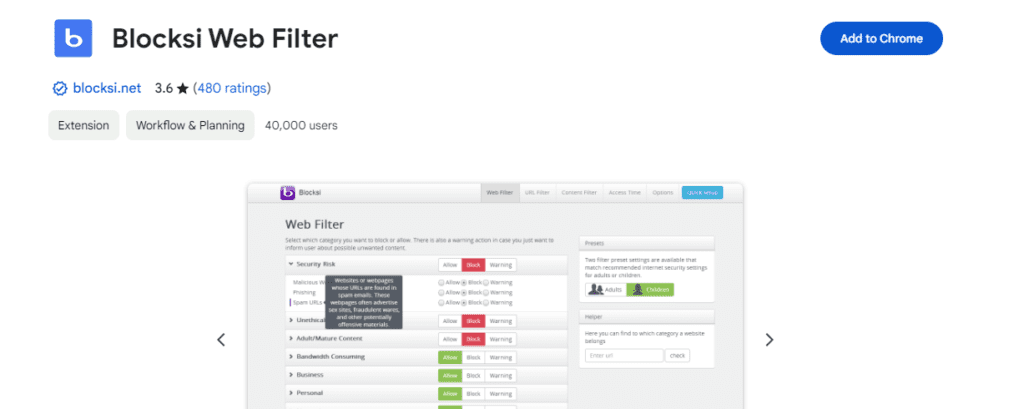
Blocksi is a parental extension combining many of the features seen in many other extensions. It contains a time manager, the ability to ban websites based on inputted URLs, and the ability to filter unacceptable content by identifying stuff you have pre-specified as “bad.” Moreover, Blocksi uses categories to filter undesirable content. The extension offers 79 categories to filter information from six primary “groups,” such as “Adult,” “Unethical,” and “Security Risk.”

2- Website Blocker 

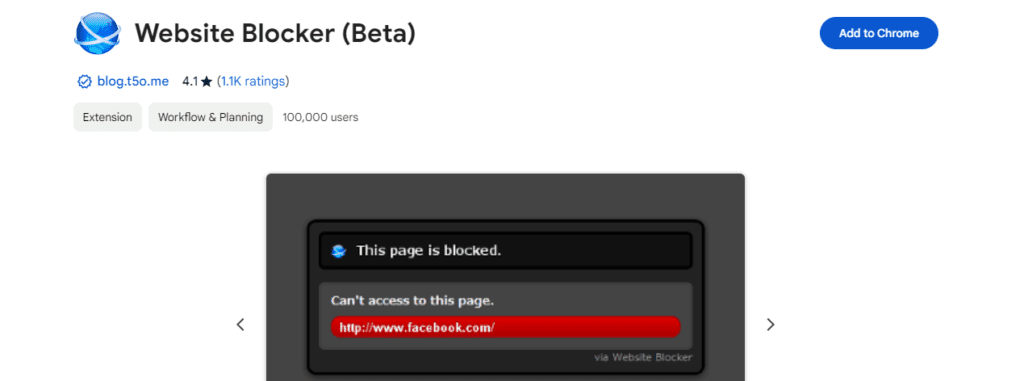
Website Blocker is another parental control extension that blocks certain URLs for specific periods. Because of its simplicity of use, this URL-blocking tool is gradually gaining popularity. The visually appealing warning letters that inform you that you cannot access a website will undoubtedly catch your children’s attention.

3- Web Filter for Chrome

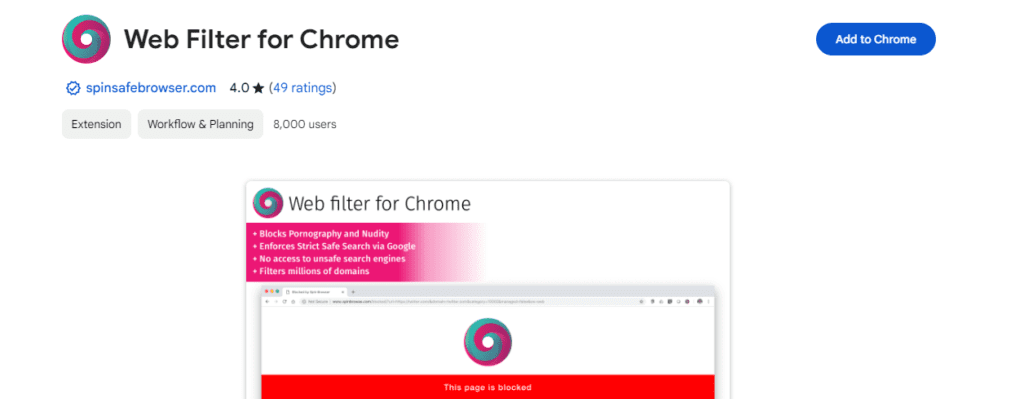
A cloud-based content filtering program called WebFilter Pro by Cloudacl was created to guarantee a safer online experience, especially for families with young children. WebFilter Pro’s vast database, which monitors millions of websites and billions of web pages, provides strong protection against offensive information, enabling parents to supervise their kids’ online activities successfully.

4- BlockSite

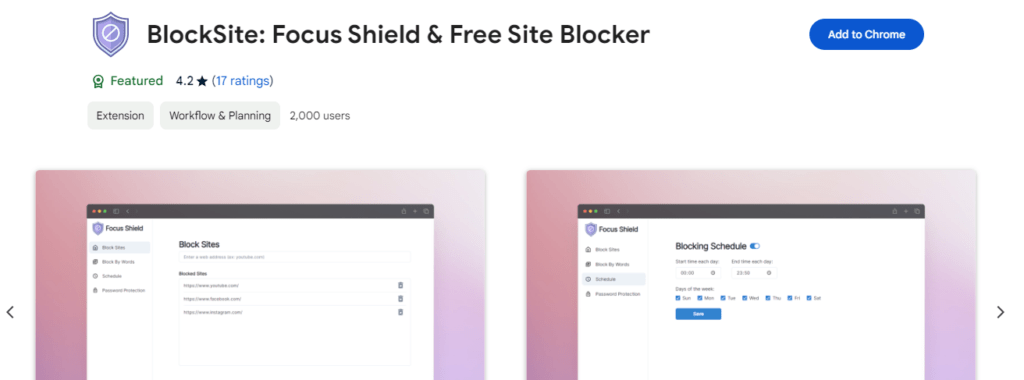
An easy-to-use add-on called BlockSite automatically blocks the websites you specify. Using its user-friendly interface, you may choose which websites to block access to, making for a more concentrated and efficient surfing experience. BlockSite goes above and beyond by blocking all hyperlinks to blocked websites, limiting accidental clicks, and enhancing browsing restrictions. You may take charge of your internet behavior and maintain focus on your objectives using BlockSite.

5- Social Nanny

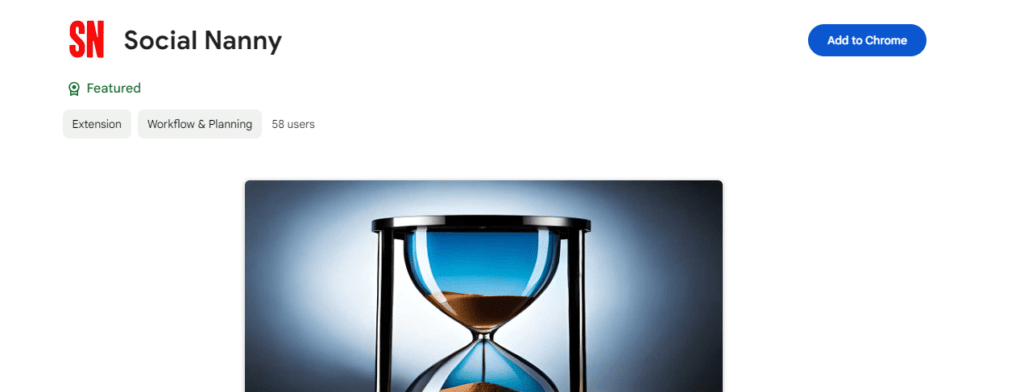
An effective time management tool for older kids is Social Nanny for Google Chrome, which helps them prioritize their homework over entertaining websites. “Blocksets” limit access to specific websites, like Facebook. Parents can utilize the integrated tracker to keep an eye on their online behavior and maintain discipline. For parents, this dependable extension is perfect.

Firefox Extensions for Parental Control

Even though Chrome is the most widely used browser, those who value privacy and personalization favor Firefox. The following Firefox add-ons for parental control are free.

6- ProCon Latte Content Filter

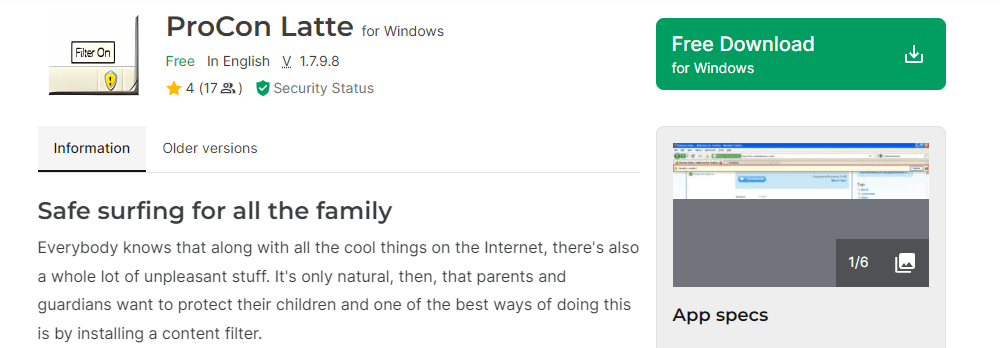
By enabling users to block distracting websites, ProCon Latte Content Filter improves focus and productivity. This extension deserves much praise for its ability to ban websites completely. By providing a list of keywords, you can prevent your child from accessing any website that contains those terms. A “Profanity Filter” is included as well.

7- FoxFilter

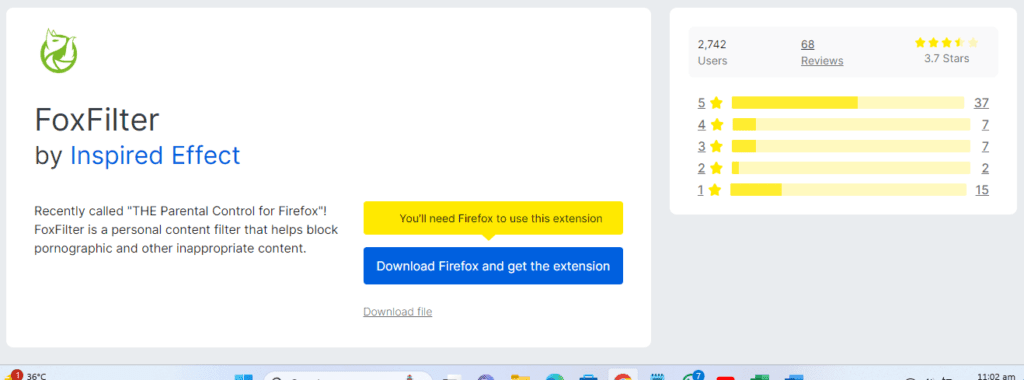
Serving as a personalized filter, FoxFilter gives blocking of inappropriate and pornographic content top priority. Its fundamental screening features are entirely free, giving users the protection they need. Furthermore, premium features are available for a small support cost and provide more control and customization choices. By customizing their surfing experiences using FoxFilter, users may create a more secure and pleasurable online environment that fits their interests and values.

8- Public Fox

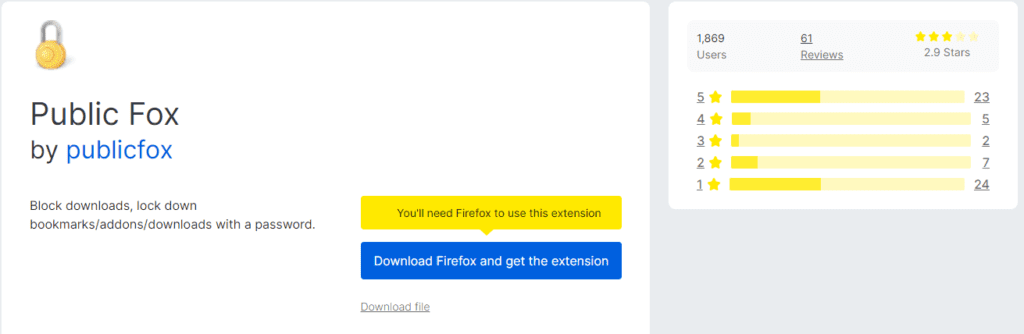
Public Fox is a unique parental control add-on that gives you access to Firefox features and settings. Its distinctive features let user’s password-protect history, add-ons, and preferences—all critical browser operations. It guarantees that unlawful changes cannot be made without the necessary authority, giving parents who want to control their children’s online activity successfully an extra layer of protection and peace of mind.

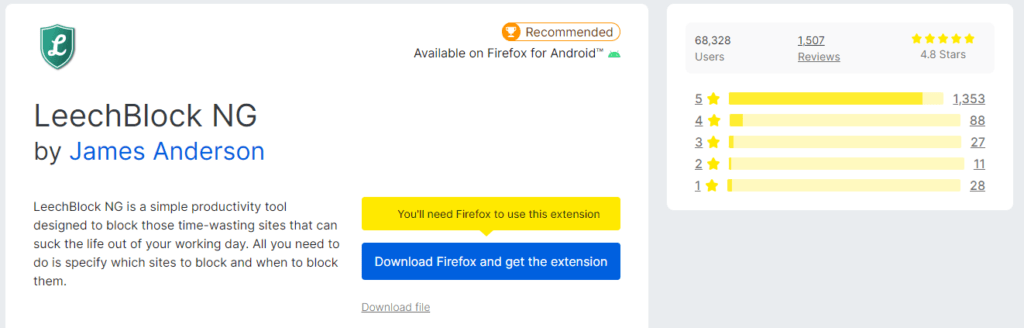
9- LeechBlock

LeechBlock is considered the Firefox version of Nanny for Chrome; it blocks any website you designate. All you have to do is enter and specify the URLs your kids cannot view. Its plugin, which advertises as a tool to prevent time-wasting websites from “leeching” time out of your day, also works well as a parental control.

LeechBlock

10- Anti-Porn Pro WebFilter

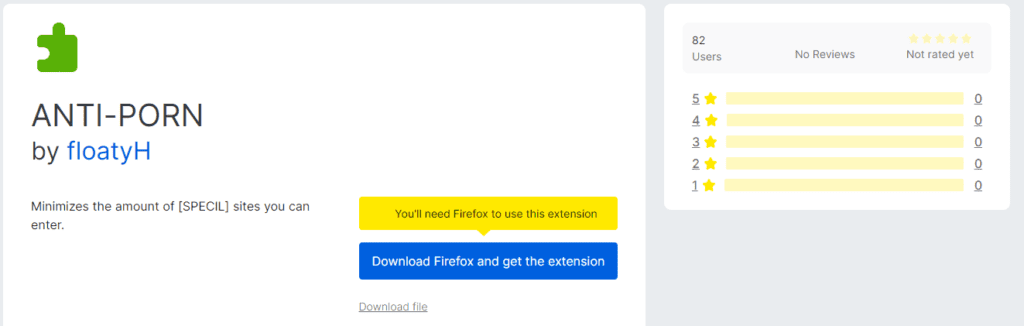
Cloudacl’s Anti-Porn Pro WebFilter is a robust cloud-based program that removes obscene material from websites. Anti-Porn Pro offers proactive protection to keep families, especially children, away from unsuitable information, including sexual activity, nudity, and adult content. It does this by monitoring millions of websites and billions of web pages with its enormous database. With the help of this effective technology, parents may browse the internet with peace of mind and in a safer environment.

Anti-Porn

Conclusion

Chrome and Firefox parental control plugins are valuable resources for monitoring and controlling your child’s internet use. Effectively using these extensions and following best practices for online safety will enable you to shield your child from potentially harmful content and provide a more secure and safe online environment. Recall that good digital parenting requires parental oversight and guidance. Technology should enhance, not replace, open communication and trust between parents and children.

Jeff Probst Net Worth in 2024

0

Jeff Probst is an Emmy Award-winning TV actor who has significantly impacted reality TV shows. One of his most perfect TV shows where he has portrayed himself is Survivor” having millions of viewers. In his life, he has remained a successful host and has earned a lot of fame and money. Here in keeping different perspectives, I will tell you about Jeff Probst Net Worth and some key facts.

Life and Background

Jeff Probst is the son of Barbara and Jerry Probst. He was born in Wichita, Kansas in 1961. Later on after his birth, he moved to Washington with his parents. There, he and his two younger brothers were raised.Probst attended Newport High School and graduated in 1979. After graduation, he joined Boeing Motion Picture as a video narrator and producer. From 2000 onwards, he has written and hosted multiple scripts and is always praised by the viewers.

His first wife divorced him in 2001 and in December 2011, he for the second time with a divorced lady Lisa Ann Russell having two children from her previous husband.

Career Highlights

  • In 2000, Jeff Probst stepped into the role of host for the groundbreaking reality television show, “Survivor.” His charismatic presence and ability to navigate the game’s challenges made him an integral part of the show’s success.
  • Probst’s iconic catchphrase, “The tribe has spoken,” became synonymous with tribal council eliminations. Contestants knew that when he uttered those words, their fate was sealed.
  • Over the years, Probst witnessed countless blindsides, alliances, and strategic moves. His genuine enthusiasm for the game and its players resonated with viewers.
  • Beyond hosting, Probst also played a crucial role in shaping the show’s format. He conducted interviews, moderated reunion specials, and provided insightful commentary.
  • As “Survivor” continued to evolve, so did Probst’s role. He adapted to twists, themes, and location changes, ensuring that each season remained fresh and engaging.
  • His dedication to the show extended beyond the camera. Probst kept a souvenir from every season: the wooden “snuffer” used to extinguish contestants’ torches when they were voted off.
  • Probst’s tenure as the face of “Survivor” solidified his status as a reality TV legend, and his contributions continue to impact the genre.

Jeff Probst Net Worth

As of 2024, Jeff Probst net worth has reached $50 million. One of the major contributions to his net worth is through Survivor on CBS. He earns an impressive salary of $8 million from here. If we look back days, before this show his yearly net worth was hardly about $2 million. You can say that it was his year of untiring efforts that made him achieve such great wealth.

AspectDetails
OccupationActor, Director, Author, Journalist
BornNovember 4, 1961
Place of BirthKansas
NationalityUSA
ShowSurvivor
Annual Salary$8 million
Net WorthAs per June 2024, $50 million
Source of Net WorthSurvivor

FAQs:

What is Jeff Probst Net Worth?

Jeff Probst net worth is almost $50 million.

What Survivor kissed Jeff Probst?

Sarah Dawson kissed Jeff Probst in the Survivor.

What was Jeff Probst’s job before Survivor?

Jeff Probst was a host of Rock & Roll Jeopardy before Survivor.

Does Jeff Probst have kids?

Jeff Probst is the stepfather of two children Ava and Michael.

What was Jeff Probst Net worth before Survivor?

Jeff Probst net worth was less than $2 million before the reality TV show Survivor.

Scottie Scheffler Net Worth – How He Built His Wealth

0

Annual income for golfers is high. It is among the highest-paid jobs, which explains why. Given his current ranking as the world’s best golfer, Scottie Scheffler commands a high salary. He’s accumulated a respectable net worth, due to his skills.

Today’s article will center around it. Details on Scottie Scheffler Net Worth will be revealed to you here. His pay information will also be examined. Besides this, we will take a brief look at his career achievements. Let’s now get going.

Career Highlights:

Let us begin by reviewing Scottie Scheffler’s career highlights. He had an extremely successful amateur career. Winning the U.S. Junior Amateur is its evidence. He was also a member of the American Walker Cup winning squad. In 2018, Scottie started his professional career.

He had a very successful debut year. He won twice and secured second place in regular-season standings. This helped him earn the PGA Tour card for the 2019-2020 season. Scottie kept on shining in the upcoming years.

His breakthrough season was 2022.

He won four PGA Tour events that year. Scottie also won his first major championship at the Masters Tournament as well.

He recently won this tournament for the second time.

Scottie Scheffler Net Worth:

Scottie Sheffler Net Worth is between $50 million to $90 million. He has been able to gather this amount via his wins and salaries.

He earned around $1 million in his Korn Ferry Tour season. His performances on the PGA tour earned him a good amount of money as well. Sportac reported that he earned $29.6 million in his 2022 season.

Almost a similar amount was won by him in the following season.

Scottie’s earnings through official tournaments were around $40 million. What he was able to earn through unofficial tournaments is $750,000.

Another source of his earnings is the deals he has made with different brands. Some of them are mentioned below:

  • TaylorMade
  • Nike
  • Rolex
  • NetJets
  • Variety Community Bank

The amount of money the golfer earns from endorsements is around $6 million.

The real estate portfolio of Scottie isn’t very impressive. He purchased a home in Dallas for around $2.1 million.

Read also: Tucker Carlson Net Worth in 2024

Conclusion:

In conclusion, Scottie Scheffler net worth is estimated to be between $50 to $90 million. These numbers are an estimation and not definite. Scottie is a talented golfer who has earned fame very quickly. Most of his pro seasons have been a success. This helped him earn a decent amount of money.

He has earned most of his money via official golf tournaments. Some unofficial tournaments have also contributed to his total wealth. He may also be earning through his deals with some major brands. Another source of his earnings is endorsements. We have discussed this all in detail in the information given above.

Frequently Asked Questions (FAQs):

Is Scottie Scheffler a billionaire athlete?

No. He’s not a billionaire athlete.

Where does Scottie stand in overall golf rankings?

He stands at the top spot in current golf rankings.

Has he done some charity work as well?

Yes. Scottie has donated some money to charity as well.